Professional Services

Protect billable time. Capture every opportunity.

AI handles inbound calls, intake, and scheduling — routing qualified matters to your team with full context, not interruptions.

What SquawkVoice does
for your practice

Blue funnel icon representing filtering or sorting.

Qualifies inbound leads automatically

AI conducts intake conversations, captures prospect details, assesses matter complexity and fit, routes qualified opportunities to appropriate team members with complete background.
Blue calendar icon with a star in the center.

Schedules consultations and meetings

Accesses team calendars to check availability, books initial consultations or client meetings, sends confirmations with intake forms or preparation materials.
Blue teardrop-shaped location pin icon.

Responds to service inquiries

Explains your practice areas, engagement approach, fee structures, typical matter timelines, and client onboarding process without consuming billable time.
Blue calendar icon with six dots representing dates.

Manages calendar coordination

Handles meeting reschedules and cancellations. Checks team availability, adjusts appointments, updates calendars, sends updated confirmations automatically.
Blue circular icon with a white cursor arrow clicking on a blue square.

Provides practice information

Responds to questions about office locations, team credentials, industry experience, practice focus areas, and engagement procedures.

Routes matters requiring expertise

When calls need professional judgment (conflict checks, technical questions, engagement discussions), transfers include full intake notes and prospect background.
Blue funnel icon representing filtering or sorting.

Qualifies inbound leads automatically

AI conducts intake conversations, captures prospect details, assesses matter complexity and fit, routes qualified opportunities to appropriate team members with complete background.
Blue calendar icon with a star in the center.

Schedules consultations and meetings

Accesses team calendars to check availability, books initial consultations or client meetings, sends confirmations with intake forms or preparation materials.
Blue teardrop-shaped location pin icon.

Responds to service inquiries

Explains your practice areas, engagement approach, fee structures, typical matter timelines, and client onboarding process without consuming billable time.
Blue calendar icon with six dots representing dates.

Manages calendar coordination

Handles meeting reschedules and cancellations. Checks team availability, adjusts appointments, updates calendars, sends updated confirmations automatically.
Blue circular icon with a white cursor arrow clicking on a blue square.

Provides practice information

Responds to questions about office locations, team credentials, industry experience, practice focus areas, and engagement procedures.

Routes matters requiring expertise

When calls need professional judgment (conflict checks, technical questions, engagement discussions), transfers include full intake notes and prospect background.

Built for
professional practices

Blue icon of balanced scales representing justice.

Law Firms

New matter intake, consultation scheduling, practice area inquiries, conflict checks, case status questions, court date management.
Blue credit card icon with a dollar sign.

Accounting & Tax Firms

Service engagement inquiries, tax consultation scheduling, compliance deadline tracking, document collection, engagement letter distribution.
Blue kanban board icon with three vertical columns and two cards.

Management Consulting

Opportunity qualification, discovery meeting scheduling, capability questions, proposal follow-ups, engagement scope discussions.
Blue inbox or drawer icon with a curved handle.

Wealth Management & Advisory

Prospect qualification, financial planning consultations, portfolio inquiries, compliance-approved disclosures, client meeting coordination.
Blue icon of a factory with two chimneys and a small door.

Commercial Real Estate

Property inquiry qualification, showing coordination, market analysis requests, client representation discussions, transaction timeline questions.
Blue shield icon divided into four quadrants with the top left and bottom right quadrants filled.

Risk & Insurance Advisory

Coverage needs assessment, policy review scheduling, claims guidance, renewal coordination, risk assessment consultations.

What you get
with SquawkVoice

Calendar coordination
Real-time availability across team members, consultation scheduling, meeting management, court date tracking, deadline reminders.
Calendar showing blue appointment blocks from 8 AM to 10 AM and red lunch blocks at 12 PM over two days.
Professional-grade responses
Configured language for different practice areas, engagement types, regulatory requirements, professional standards, firm positioning.
Chat conversation about exploring an acquisition, discussing whether it is a domestic or cross-border transaction, and arranging a confidential consultation with an M&A partner.
Practice analytics
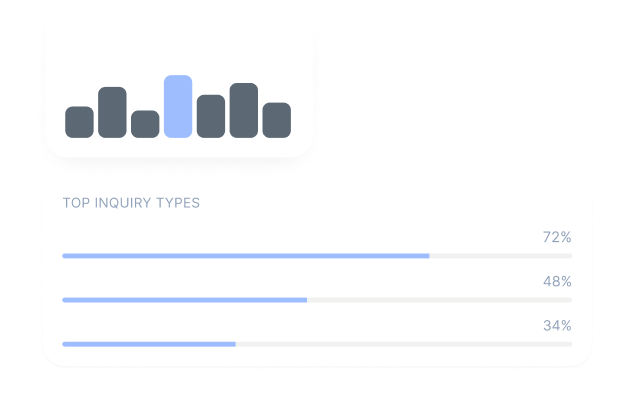
Track inquiry sources, intake conversion rates, consultation show-rates, practice area demand, team utilization, response efficiency.
Call outcomes pie chart showing 95% contained in blue, 4% caller-hungup in gray, and 1% transferred in orange for the last 30 days.

Frequently Asked Questions

How long does implementation take?
How does it handle matters requiring legal/professional judgment?
Can it discuss fees and engagement terms?
Does it support multi-office practices?
What metrics track business development effectiveness?

See SquawkVoice in action